
GuideMiaGuideMia Technologies, LLC
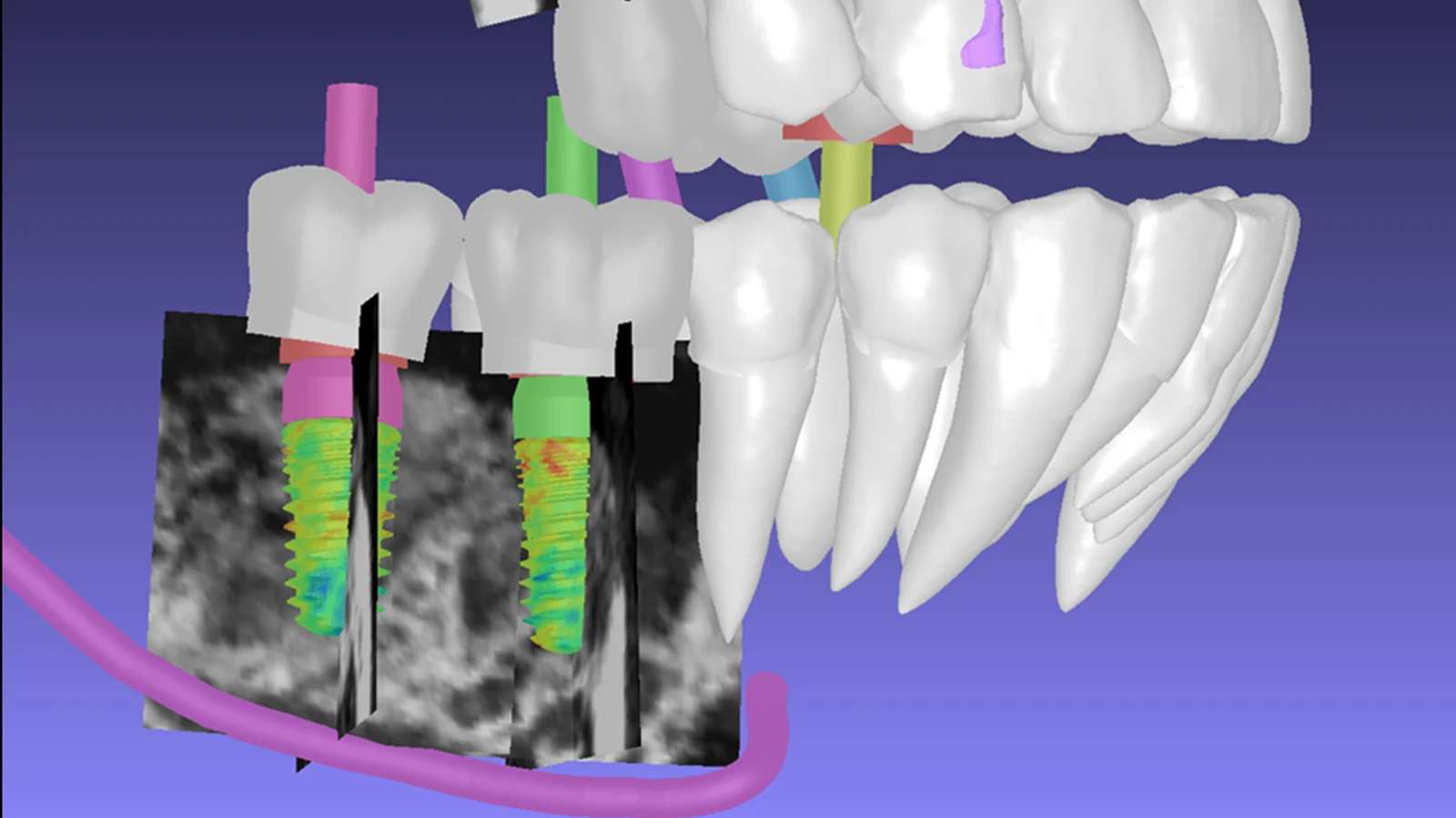
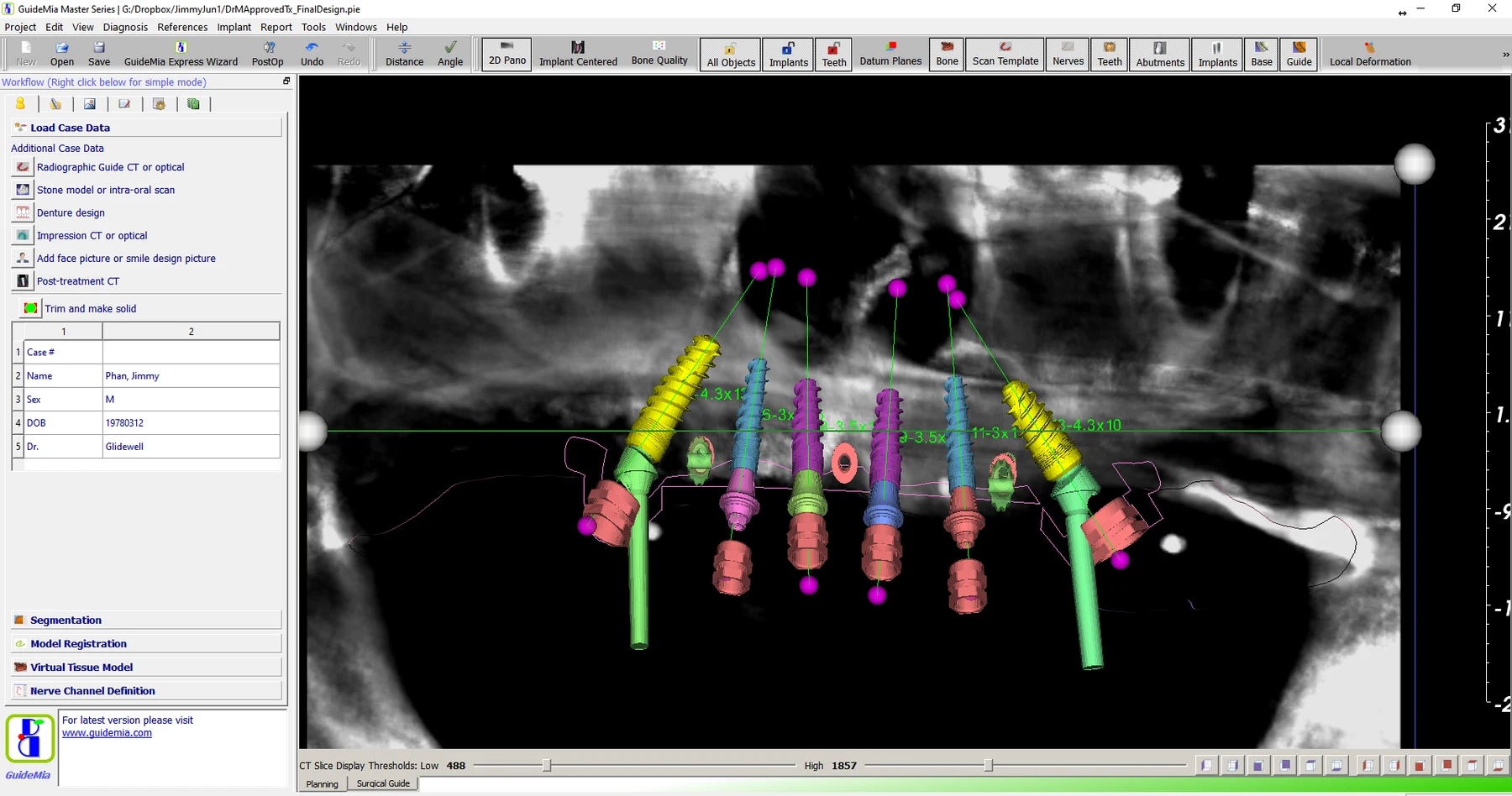
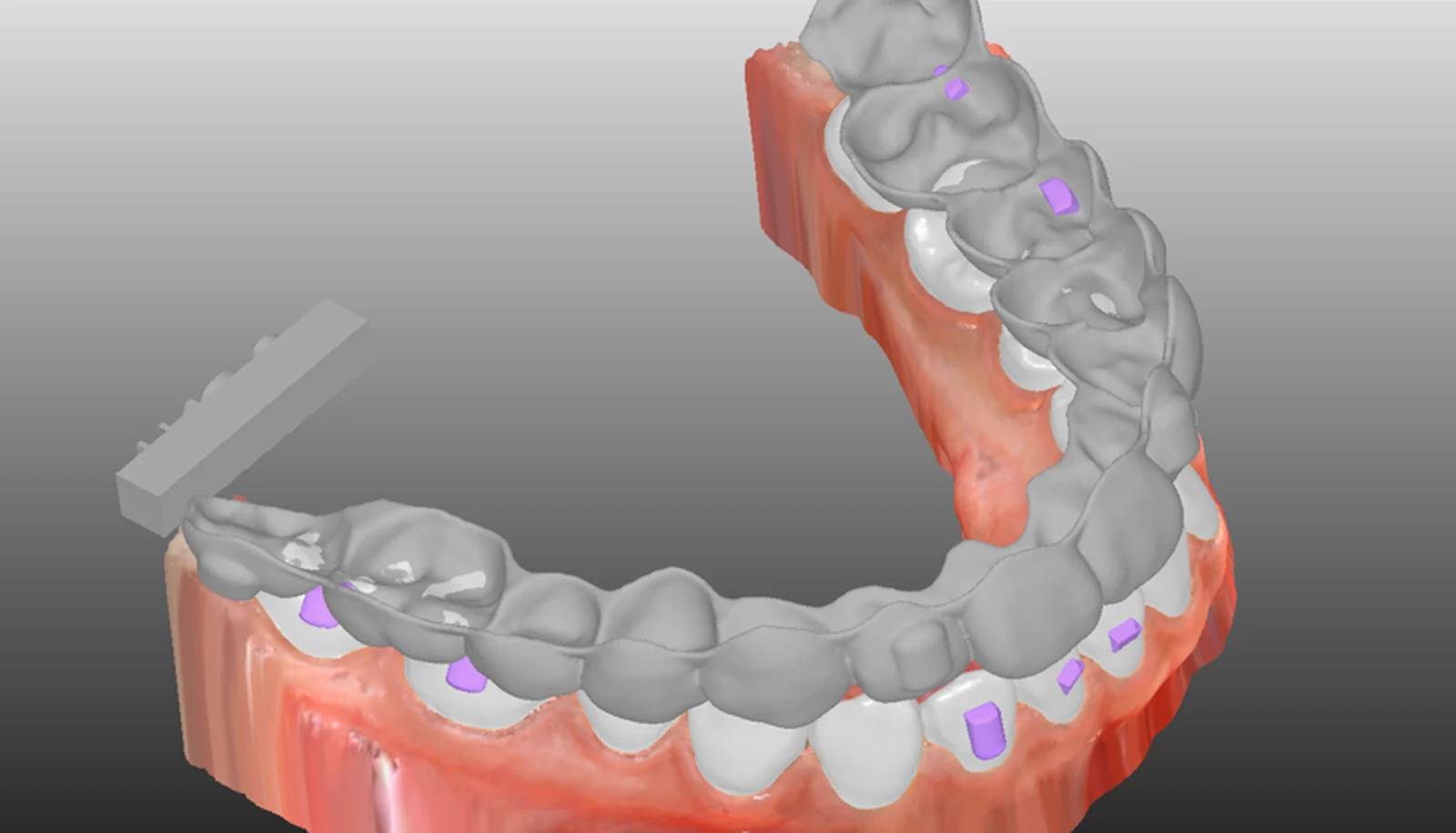
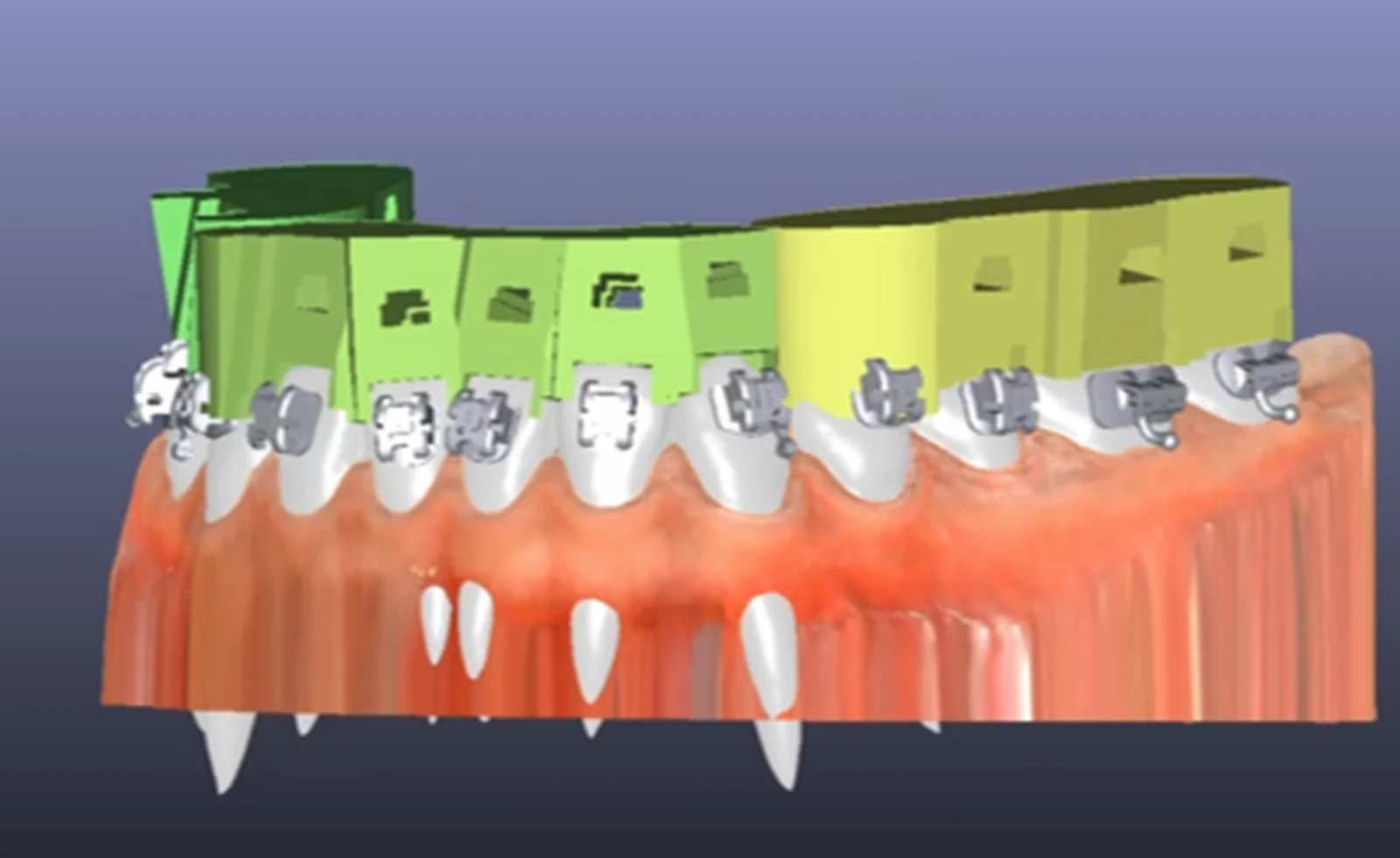
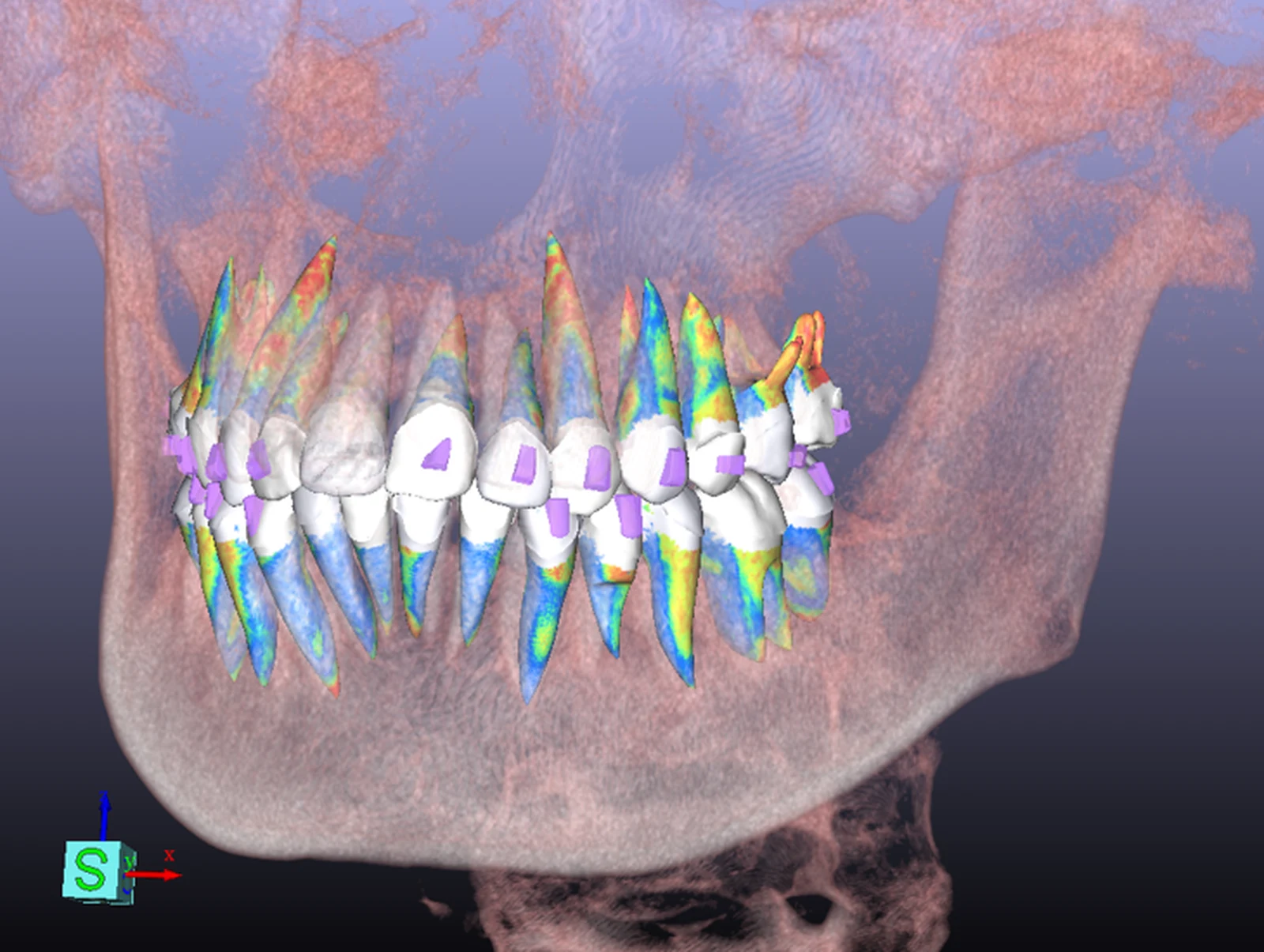
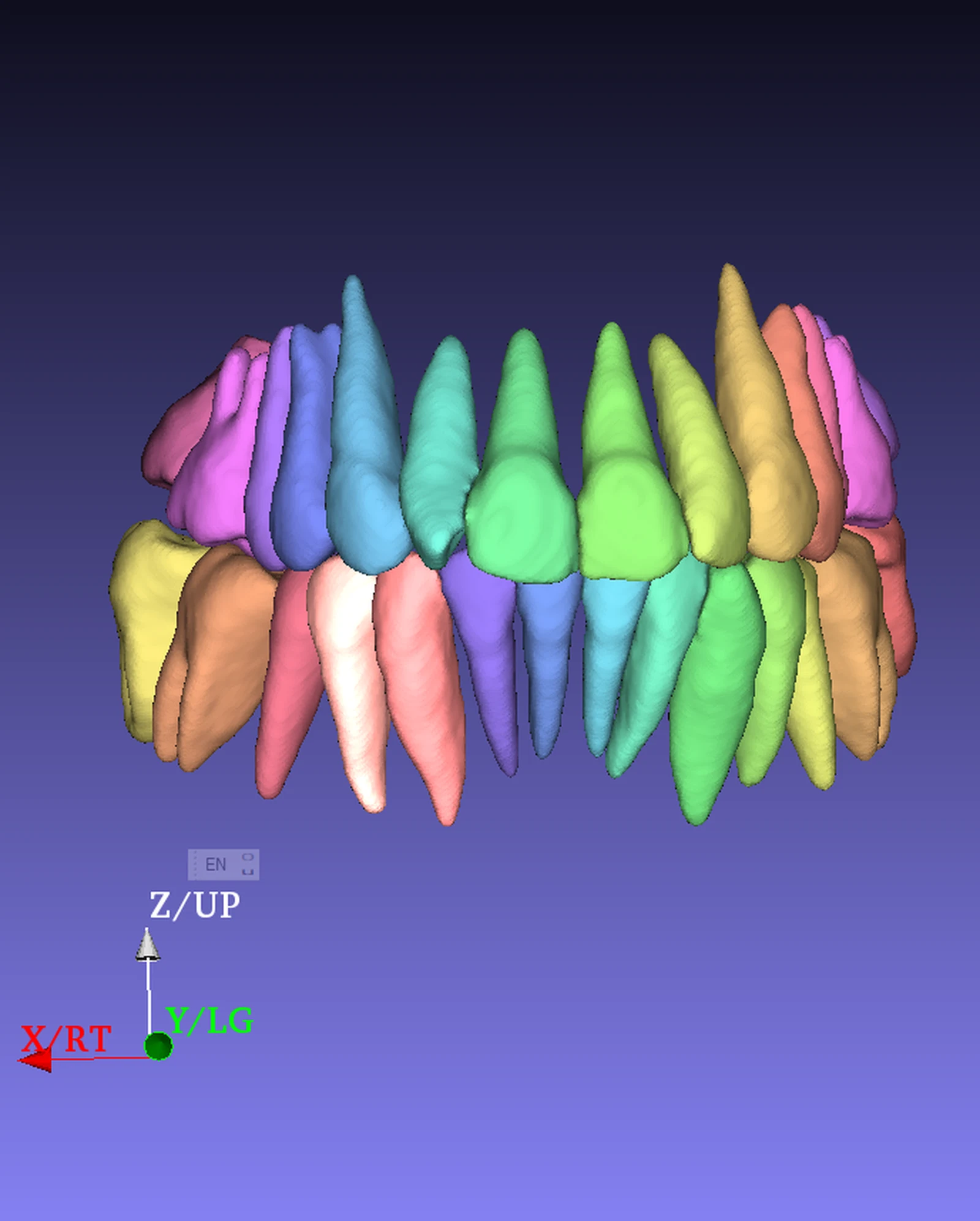
Implants colour-mapped against bone density inside CBCT slices, with tooth roots and the inferior alveolar nerve canalGuideMia Implant Master showing planned implants and abutments over a panoramic CBCT reconstruction with the nerve canal tracedA clear aligner seated on an arch model with bonded attachmentsSectional indirect bonding trays seated over brackets on an archCBCT volume render with individually coloured tooth roots visible inside the translucent jawPer-tooth CBCT segmentation with each tooth isolated in a different colour

Dental implant software

Plan the implant against real bone, then design the guide that puts it there.

Segment bone and nerve from any CBCT, place implants from any library, and export a guide your own printer can make.

Windows 64-bit. No card required for the planners.

Pick the discipline, not the price list

One planning engine, two clinical paths

Each path starts with a free planner that does real work, and steps up to the dental implant software or clear aligner software that produces the appliance.

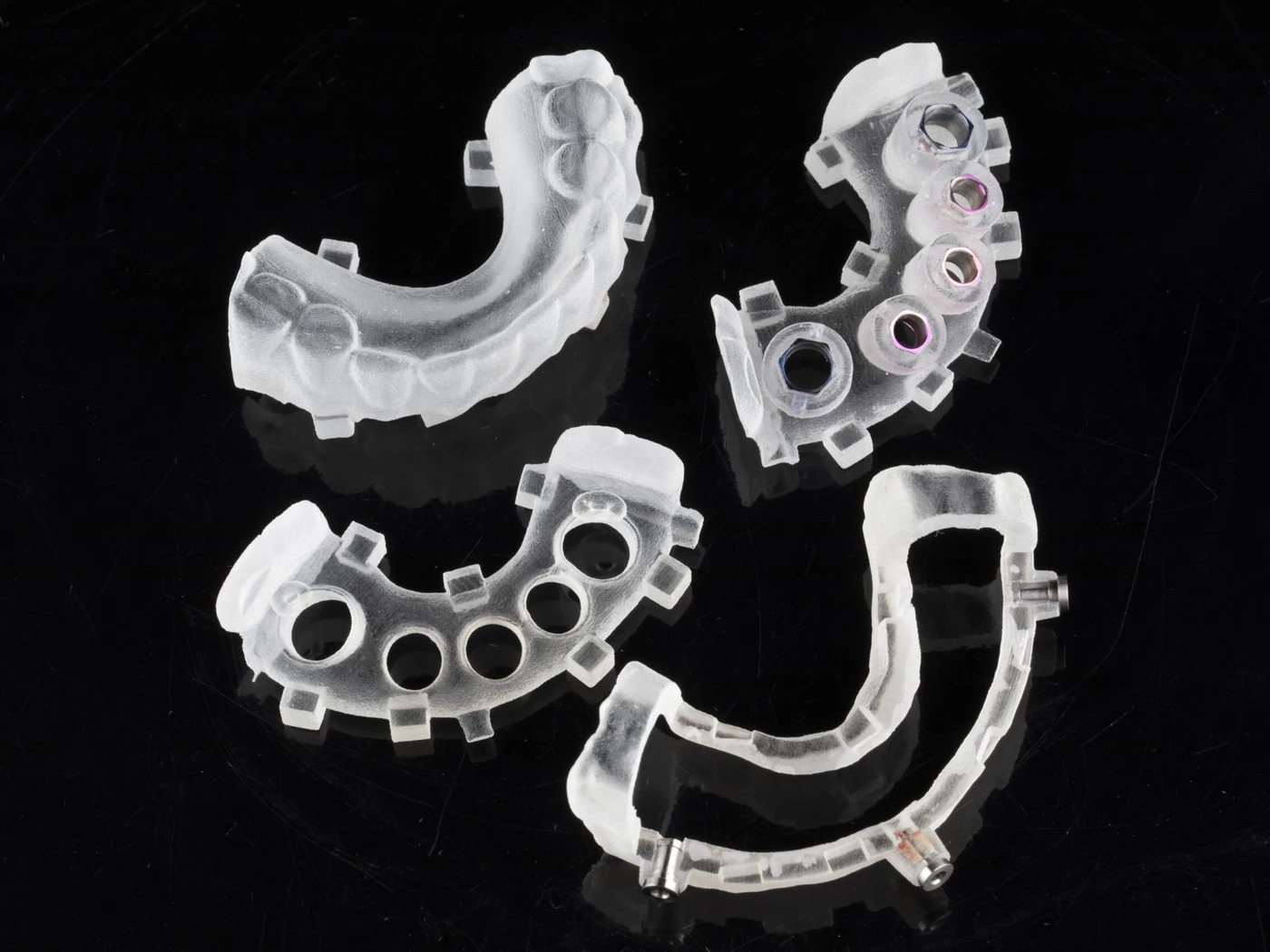
Four printed surgical guides on a black background — tooth-borne, bone-supported and bone-reduction types

Dental implant software

Dental implant software: segment bone and nerve, place implants against real bone density, then design the guide and make it on the hardware you already have.

  1. Import
  2. Segment
  3. Place
  4. Design
  5. Make

What it does

  • Reads DICOM from any CBCT system
  • Bone segmentation and nerve tracking
  • Bone density shown at the implant site
  • Any implant library, sleeve and surgical kit
  • Registers intra-oral, desktop and facial scans
  • Full-arch, edentulous and immediate cases

What comes out

Tooth-borne guides · Bone-supported guides · Bone reduction guides · STL for any printer or mill

The ladder

GuideMia Implant Planner

Plan, measure and review. Share with whoever designs.

Free

Implant Master

Full guide design, bone reduction, edentulous and full-arch cases.

from $25/mo
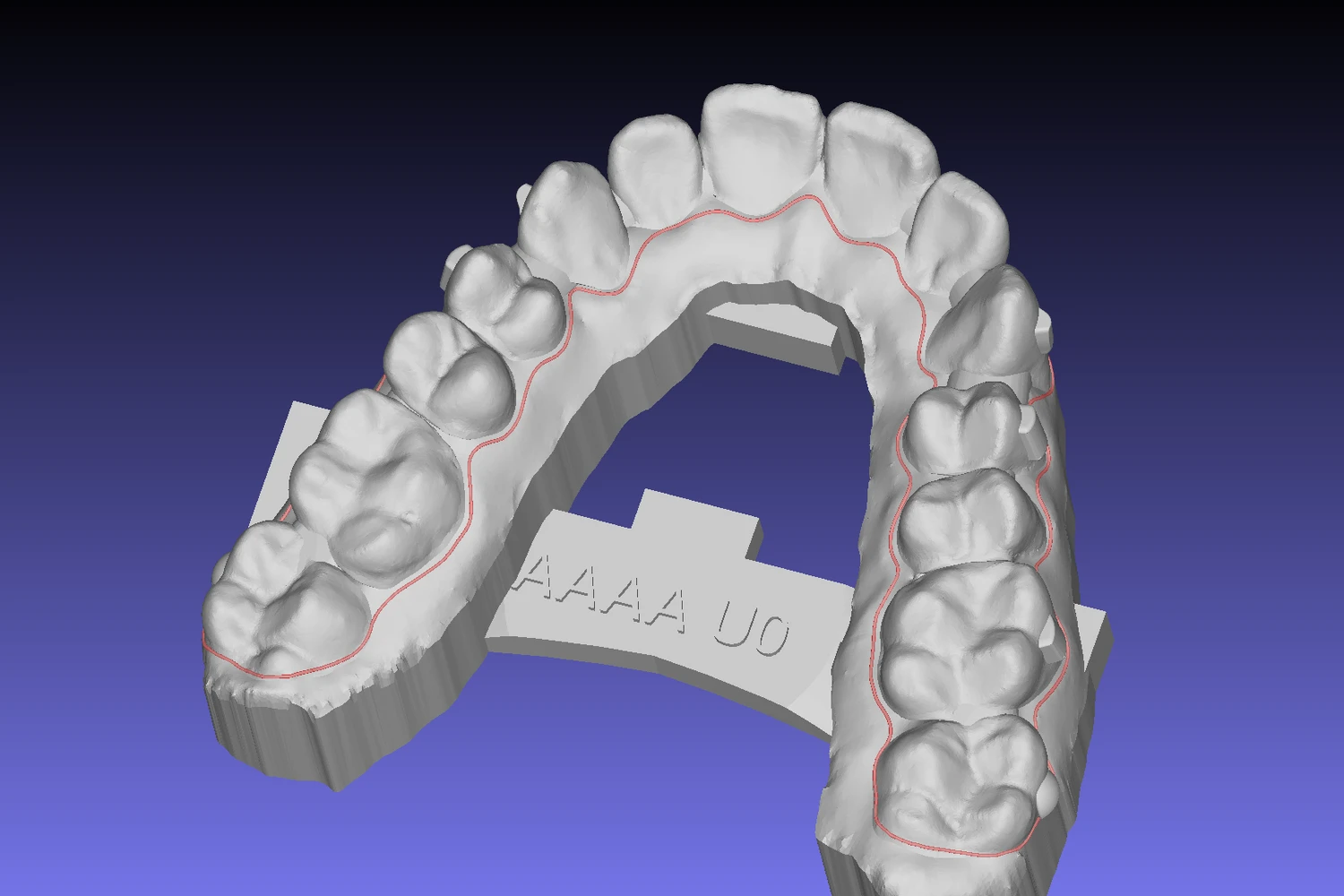
A clear aligner model with the trimming path traced in red along the gingival margin

Orthodontic software

Orthodontic software and clear aligner CAD: segment with roots and bone from CBCT, stage the movement, then output the aligners, trays or guides that deliver it.

  1. Import
  2. Segment
  3. Stage
  4. Design
  5. Make

What it does

  • AI segmentation of crowns and roots
  • Virtual roots and bone from CBCT
  • Automatic movement staging
  • IPR, extractions and attachments
  • Bracket simulation and placement
  • Plan review and patient presentation

What comes out

Printable aligner models · Bracket bonding trays · Anchorage implant guides · STL for any printer or mill

The ladder

OrthoPlus Planner

Open a case, review staging, show the patient.

Free

OrthoClic

Chairside. Treatment plan in minutes, then hand off.

from $19/mo

OrthoPlus

Full aligner and bracket design, straight to manufacture.

from $25/mo

Start free

Two planners that do real work, at no cost

Both install on Windows and open your own scans. Neither expires, and neither asks for a card.

GuideMia Implant Planner

Load CBCT and scan data, trace the nerve, place implants and take measurements. Enough to plan a case and show it to a patient or a referrer.

Guide design and export for manufacture are in Implant Master.

DownloadWindows 64-bit

OrthoPlus Planner

Open a case, step through the staging and review movements tooth by tooth. Built for reviewing and presenting a plan.

Aligner and bracket design and export for manufacture are in OrthoPlus.

DownloadWindows 64-bit

Also available — from Cympha

Review online, without installing anything

The desktop software plans and designs. Sharing a plan with a referrer, a lab or a patient happens in the browser, and Cympha is where that part lives.

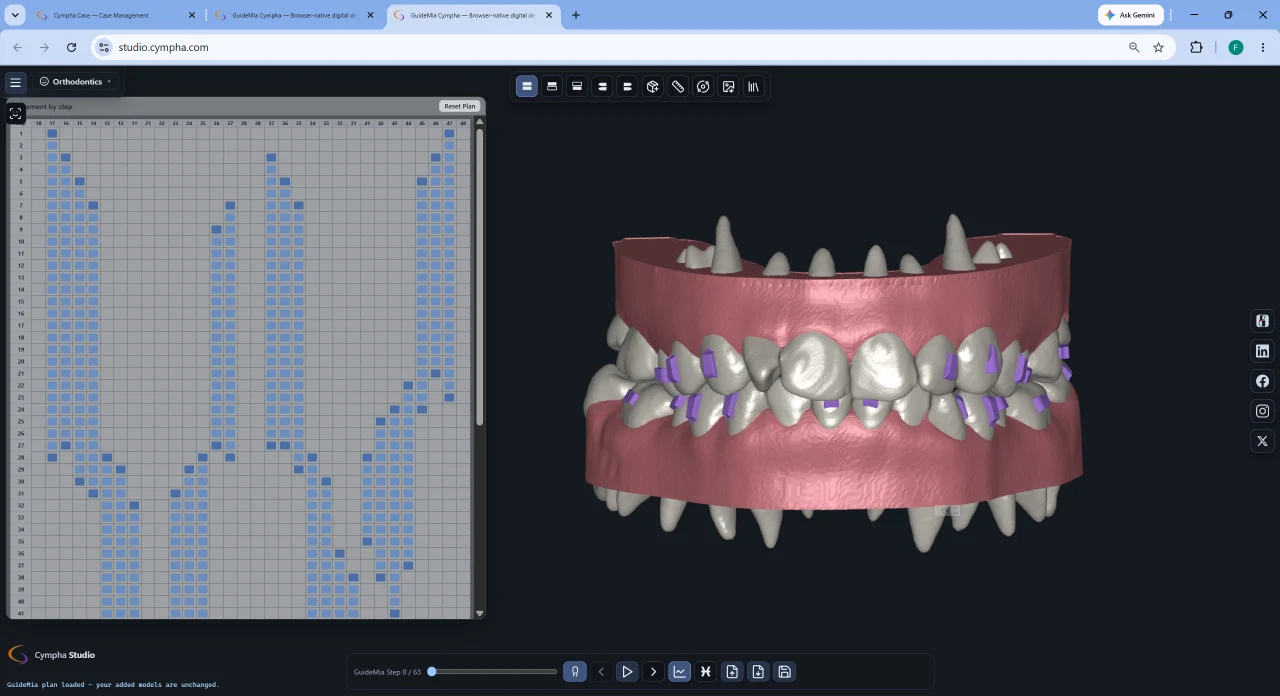
Cympha Studio in a browser, showing an aligner staging grid beside a 3D arch with attachments

Cympha Studio

Free

A dental workspace that runs in the browser. Open a scan or a plan, look at it properly, and send someone a link instead of a file.

  • Opens STL, PLY and OBJ files with nothing to install
  • Review treatment plans and step through staging online
  • Model processing, cephalometric tracing and smile design
  • Share a link with a referrer, a lab or a patient
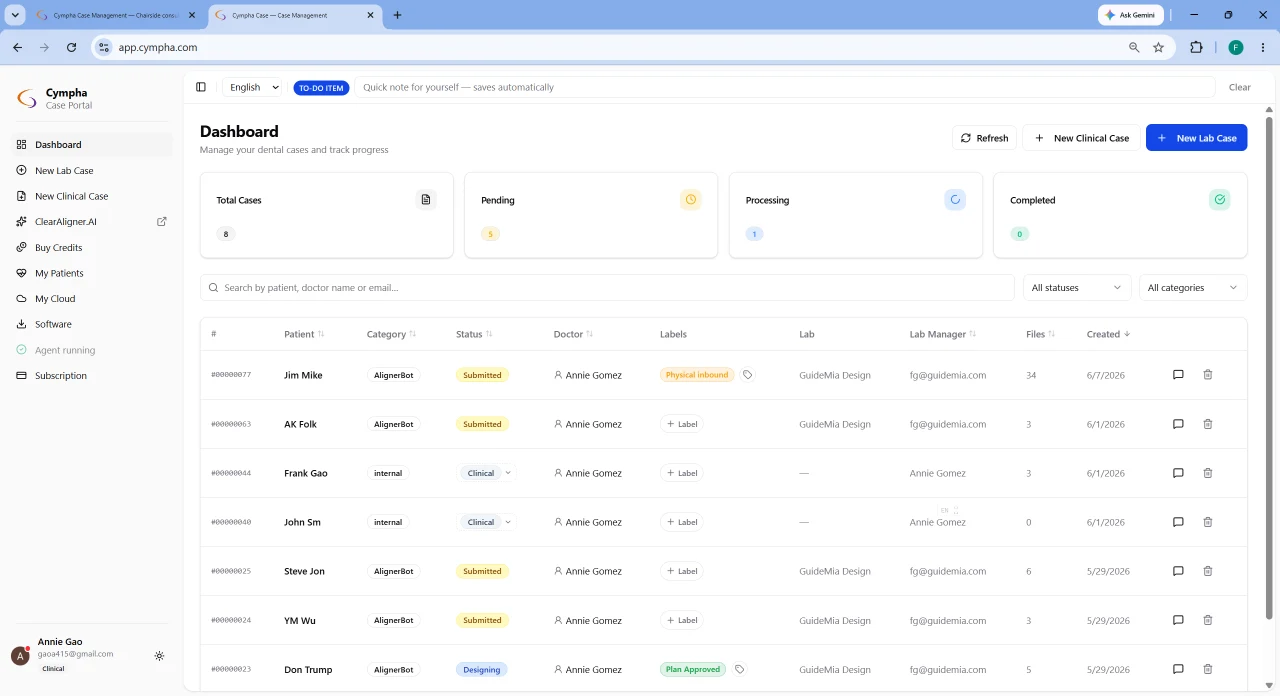
The Cympha Case dashboard listing cases with their status, doctor, lab and file counts

Cympha Case

Subscription

Case management for clinics and labs — intake, files, status and the conversation around a case, in one record.

  • One record per case, from intake through to delivery
  • Clinic and lab work the same case without emailing files
  • Status, approvals and the full activity history
  • Connects to Studio for 3D review

$20 per month· 15-day free trial

Cympha is a separate product from a partner company. Accounts, billing and support for these two are handled by Cympha, not GuideMia.

See it run

A full aligner case, start to finish

Automatic segmentation, staging and aligner model generation on a real case. The rest of the library, including implant workflows, is on the training page.

Video: GuideMia OrthoPlus automatic aligner design

Where you fit

Built for the size you actually are

Dental clinic

Plan chairside, show the patient, and send the case out for design when you would rather not do it yourself.

OrthoClic · Implant Planner

Group practice or DSO

Standardise planning across sites, keep case management in-house, and route design work to whichever lab you prefer.

OrthoClic · Implant Master · OrthoPlus

Small lab or solo technician

One seat that covers both disciplines, with pay-per-case export so cost tracks the work coming in.

Implant Master · OrthoPlus

Large lab

Multiple seats, the full appliance range, and an open pipeline into the mills and printers already on the floor.

Implant Master · OrthoPlus · CBCT Segmentation

Learn the workflow

Cookbooks

Step-by-step playbooks for the workflows people actually run. A different one is featured here every day.

All cookbooks

Today's playbook

Clear Aligner Software for Dental Labs

Clear aligner software for dental labs building high-throughput, consistent aligner design and manufacturing operations.

Purpose: clear aligner software for a dental lab

This edition targets dental laboratories seeking to build high-throughput, highly consistent, and scalable clear-aligner design and manufacturing operations. It addresses labs wanting to launch proprietary services matching global manufacturers — replacing manual work with batch automation, increasing output without sacrificing consistency, and handling complex orthodontic cases.

Core Challenges for Labs

Modern aligner labs must simultaneously tackle clinical reliability, manufacturing efficiency, and business scalability across seven key areas.

Throughput, Automation & Cost Control

Labs need unattended pre-processing so manual scan cleanup leaves the critical path, and routing that moves work without a coordinator chasing it. Cympha hands each new case to whichever eligible person on the lab's roster has the fewest open cases, and continuity beats load-balancing — the designer who did the first cycle gets the next one on the same patient.

Consistency & Clinical Standardization

Can different designers produce the same staging, attachments, and outcomes? The answer requires algorithm-driven planning rather than individual experience, ensuring uniform quality across teams.

Fast Restarts & Mid-Course Re-Planning

Cases must be rapidly restarted when aligners no longer fit, with plans refinable during treatment and retainers automatically generated from final stages.

Multi-Scanner Data Normalization

Systems must repair data from various scanner brands, handling holes, noise, distortions, and artifacts without manual CAD intervention.

Manufacturing & Production Line Integration

Integration with trimming machines, laser marking systems, and automated finishing requires customizable aligner boundaries, tags, and marking data.

Complex Orthodontics at Scale

Labs need reliable support for extractions, implants, miniscrews (TADs), space closure, and occlusal corrections combined in single digital plans.

Gingiva Accuracy & Clinical Fit

An industry gap exists where platforms generate inconsistent virtual gingiva, causing poor gingival-margin fit — particularly critical for direct-printed aligners.

The clear aligner software platform (lab configuration)

The platform extends clinical foundations with industrial capabilities through three primary components.

OrthoPlus — Core Design & Automation Engine

AI segmentation, automatic tooth setup, automatic staging and attachment design, and arch model export for aligner manufacturing all ship in OrthoPlus Starter. Aligner and retainer design for direct printing is OrthoPlus Enterprise — check the tier before you quote a direct-print service.

Surgical Guide Design Software: Running a Design Service

Surgical guide design software for small dental labs launching or standardizing a guide design service, production-tested end to end.

Read

Scaling Aligner Design Software Without More Technicians

Aligner design software that scales through batch automation, so growing clear-aligner production no longer means hiring more technicians.

Read

Digital Dentistry Software: Six Needs, One Platform

Digital dentistry is defined by workflow requirements, not software features. Mapping intake, design, review, collaboration and manufacturing onto one platform.

Read

Before you download

Does it work with my CBCT?
Yes. GuideMia reads DICOM from any CBCT system rather than one manufacturer's format, and the same applies to intra-oral, desktop and facial scanners. That openness is the reason the software exists.
Can I print guides and models on my own printer?
Yes. Output is STL, so any printer or mill you already run will take it. There is no tied consumable and no per-print fee.
What do the free planners not do?
They plan, measure and present. Designing the appliance — a surgical guide, an aligner, a bonding tray — and exporting it for manufacture is the paid step.
How does the free trial work?
Paid plans start with a 15-day free trial with full features. Cancel inside the trial and you are not charged.
Which implant systems are supported?
The library covers the major systems and is not restricted to a single manufacturer. Components you work with that are not in it can be added.
Is training included?
Tutorials and recorded cases are free on the training page. One-to-one sessions with a trainer are bookable separately.